Creating Analytics Buckets
Set up your first analytics bucket using the SDK or dashboard.
This feature is in Private Alpha. API stability and backward compatibility are not guaranteed at this stage. Request access through this form.
Analytics buckets use Apache Iceberg, an open-table format for efficient management of large analytical datasets. You can interact with analytics buckets using tools such as PyIceberg, Apache Spark, or any client supporting the Iceberg REST Catalog API.
Creating an Analytics bucket
You can create an analytics bucket using either the Supabase SDK or the Supabase Dashboard.
Using the Supabase SDK
1234567891011import { createClient } from '@supabase/supabase-js'const supabase = createClient('https://your-project.supabase.co', 'your-service-key')const { data, error } = await supabase.storage.analytics.createBucket('analytics-data')if (error) { console.error('Failed to create analytics bucket:', error)} else { console.log('Analytics bucket created:', data)}Using the Supabase Dashboard
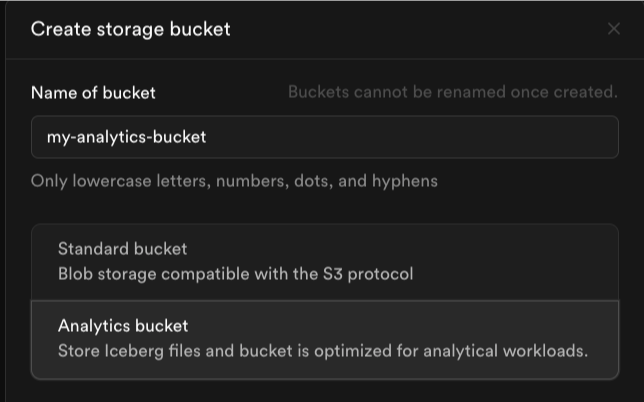
- Navigate to the Storage section in the Supabase Dashboard.
- Click Create Bucket.
- Enter a name for your bucket (e.g.,
my-analytics-bucket). - Select Analytics Bucket as the bucket type.
- Click Create.
Next steps
Once you've created your analytics bucket, you can:
- Connect with Iceberg clients like PyIceberg or Apache Spark
- Set up real-time replication from your Postgres database
- Query data with Postgres using the Iceberg Foreign Data Wrapper